
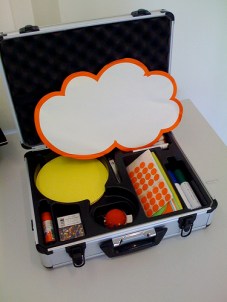
 A recent LinkedIn eLearning Guild Group member asked “What are the top tools for freelance elearning design and development?” and 100 comments later, there was quite a list.
The result was a nice mix of both specific software for getting the work done and advice and suggestions related to running a freelance business.
Here is my attempt to categorize and capture all of the recommendations, in no particular order of course. While I tried to include everything that was mentioned, my apologies if I may have missed one or two…
- Software Suites and Packages – Adobe Creative Suite, Adobe eLearning Suite, Articulate Studio, Microsoft Office, Open Office, Google Tools
- Rapid Development – Captivate, Lectora, Cam Studio, Camtasia, Articulate
- Screencapture/Screencast – Jing, Screenhunter, Snagit (very popular!), Snap4
- Image/Photo Editing – PaintNet, GIMP, PaintShop Pro
- Video – Sony Vegas Pro, Sorenson Squeeze, After Effects, Celtx Script Writing
- Audio – Audacity, Soundbooth, Levelator
- Delivery – LMS, Portal – WordPress, Drupal, Blackboard, Moodle
- Synchronous Communication – Skype, DimDim, Elluminate, WebEx, Centra, LiveMeeting, Oovoo
- Programming Skills – PHP, HTML5, CSS3, SCORM
- Project Management – Gantto.com, OpenWorkbench, MSProject, LotusLive
- Business Operations – Dropbox, GetHarvest.com, Adobe Acrobat, PrimoPDF, QuickBooks, FreshBooks, MyHours.com, FastTrack, BullZip, PDFPen, Zoho, and a local small business Accountant
- Professional Development – Books – Roam, Clark, Horton; Advice – Entrepreneurship.com, Forbes.com; Networking and Mentorship – professional associations recommended: ASTD, IPSI
- And more… Notepad++, iSpringFree, Flash Firestarter, SwishMax2, MindManager, Prezi, Xtranormal, ReadtheWords.com, Tokbox, Adobe Kuler, Wampserver, Balsamiq, Questionmark, Madcap Flare, Color Schemer, Fireshot, and Compliance testing sites
A few absolutes to close: Internet access, a powerful computer with multiple monitors, coffee, aspirin, a sense of humor, and a support system!
How about it, Freelancers? Any corrections or additions to the list?
Update! (12/1/2010): Please see the cross posting on OpenSesame. They have graciously provided links to each of these tools! Very helpful.
Image credit: keepthebyte, Flickr
 Working with virtual teams to develop online courses presents multiple challenges. Managers, designers, developers, and faculty content experts must all be able to communicate and collaborate effectively, and primarily asynchronously, across time zones. Online project management applications are available to help provide shared workspace and an overall structure for the process.
 This post is a reflection on a recently completed project – I was the subject matter expert (SME) for a new online course in instructional design – a welcome opportunity to experience the course development process from a different perspective.
 Design Doc