

 In preparation for the BlogWorld and New Media Expo event this week, I decided to pull a list of top 5 posts on this blog. The posts linked below have had the most number of views so far.
- Figuring Out Facebook – This post makes the list because it was picked up by All Tech Considered and as a result it had a big day. (Thank you Andy Carvin and NPR!) What helped was a list of other posts that came to me via Twitter that day, all addressing overnight privacy changes.
- Instructional Design Documents – Prompted by a name change on the blog itself, this post provides a brief description of an instructional design document and includes a list of links to examples from different education and training organizations.
- Course Design – Start with an Outline – This post includes a simple tool to get the course revision process going. The outline results in a one or two page guide for moving forward – practical application and a visual example.
- Instructional Design and Project Management – Are You Certified? – Great comments here on the pursuit of professional certification in project management and how it may or may not be beneficial for an Instructional Designer.
- Rubrics. Yes? No? Maybe… – Sparked by an exchange in an online book club this post outlines some of the pros and cons for using rubrics to assess student work in an academic course.
While total number of views is not necessarily the best metric for creating a ‘top’ list, I can see that this group of posts does have common elements – they address topics that were timely and provide information and examples for practical application. A more in depth inventory is in the works and will be informed no doubt by the sessions and presenters at BlogWorld.
More to follow from Design Doc and the BlogWorld and New Media Expo…
Image credit: stock.xchng
 Information and advice about instructional design and technology is everywhere. And it’s being generated everyday, 24/7 – on websites, at conferences, in journals and magazines, in email newsletters, in social networking communities, and on blogs. Much of what I find sits in my Delicious bookmarks account – neatly tagged, but unread.
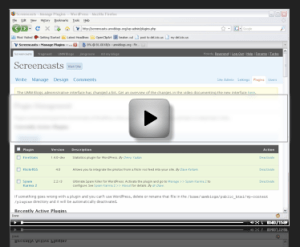 How do students and instructors report problems with an online course? Over the past year I have been working with one faculty member that posts issues with screencasts. It has been a successful experience both from her perspective, as an Instructor, and mine, as Instructional Designer.
 Design Doc