

 You may already have a LinkedIn profile. And perhaps you’ve joined a couple of groups. There are thousands of options right now that cover a wide range of professional and personal interests. Your employer may sponsor a group as well as your alma mater. With this post, I would like to introduce you to LinkedIn Groups focusing on instructional design.
Why join a group?
These groups are made up primarily of online discussion forums and so far I’ve found the to be helpful in multiple ways. Use LinkedIn Groups to:
- Stay current – With so many voices contributing to the conversation you’ll hear about new approaches, tools, and resources worth considering for your own projects. You’ll also find that a lot of others have questions similar to yours. The groups also allow for a kind of reality check.
- Find out about jobs – Many of the groups have an area to post job opportunities. These are particularly prevalent in the groups related to freelance work. You’ll see a range of part-time, full-time, contract, and teaching positions posted here.
- Increase your network – Your profile hopefully includes a solid summary of your experience and interests. You can extend the reach of your profile by joining group discussions. Your profile will be linked to your posts encouraging others to take a look and possibly connect.
- ???? – There is also an unknown factor to consider. By engaging in this kind of activity, you never know what new door may be opened or opportunity considered. One example – my most popular post so far, Tools for Freelance Instructional Designers, was the result of a LinkedIn discussion that was then picked up as a cross-post by Open Sesame.
There are different conversations going on in each group, some more active than others. Find the groups that are most relevant to you and your questions, and think about where you can contribute expertise as well.
Instructional Design Groups
The list below includes the instructional design groups I am currently following. You can use the LinkedIn group search page to find others related to your specialization – online, higher education, K-12, workforce training, social media…
- Freelance in Instructional Design and eLearning Industry
- ISD Consultants and Contractors
- Instructional Design and eLearning Professionals’ Group
- Instructional Design Central
- Instructional Systems Design Professional
- Rapid eLearning
- Sloan Consortium
- The eLearning Guild
Can’t find the conversations you are looking for? If you aren’t having the discussions you would like to be having, want to address a niche area, etc., consider starting a new discussion thread. You can also start your own group and send out invitations for others in your contact list to join. Check out LinkedIn’s Group Guide [PDF].
One note: I have found that the email can get a little overwhelming depending on how many groups you join, but you can alter the notification settings to better suit your needs.
I know there are more of these groups out there! Which ones do you recommend? Please add to the list.
Image credit: Coletivo Mambembe, Flickr
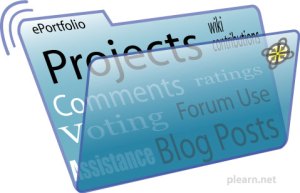 Portfolios have many uses ranging from assessment in an academic program to personal marketing in the job search process. As I prepared for a recent conference
  Over the last couple of weeks, I’ve fielded questions from people interested in making the move from instructor/trainer to instructional designer/technologist. Two previous posts
  Design Doc